
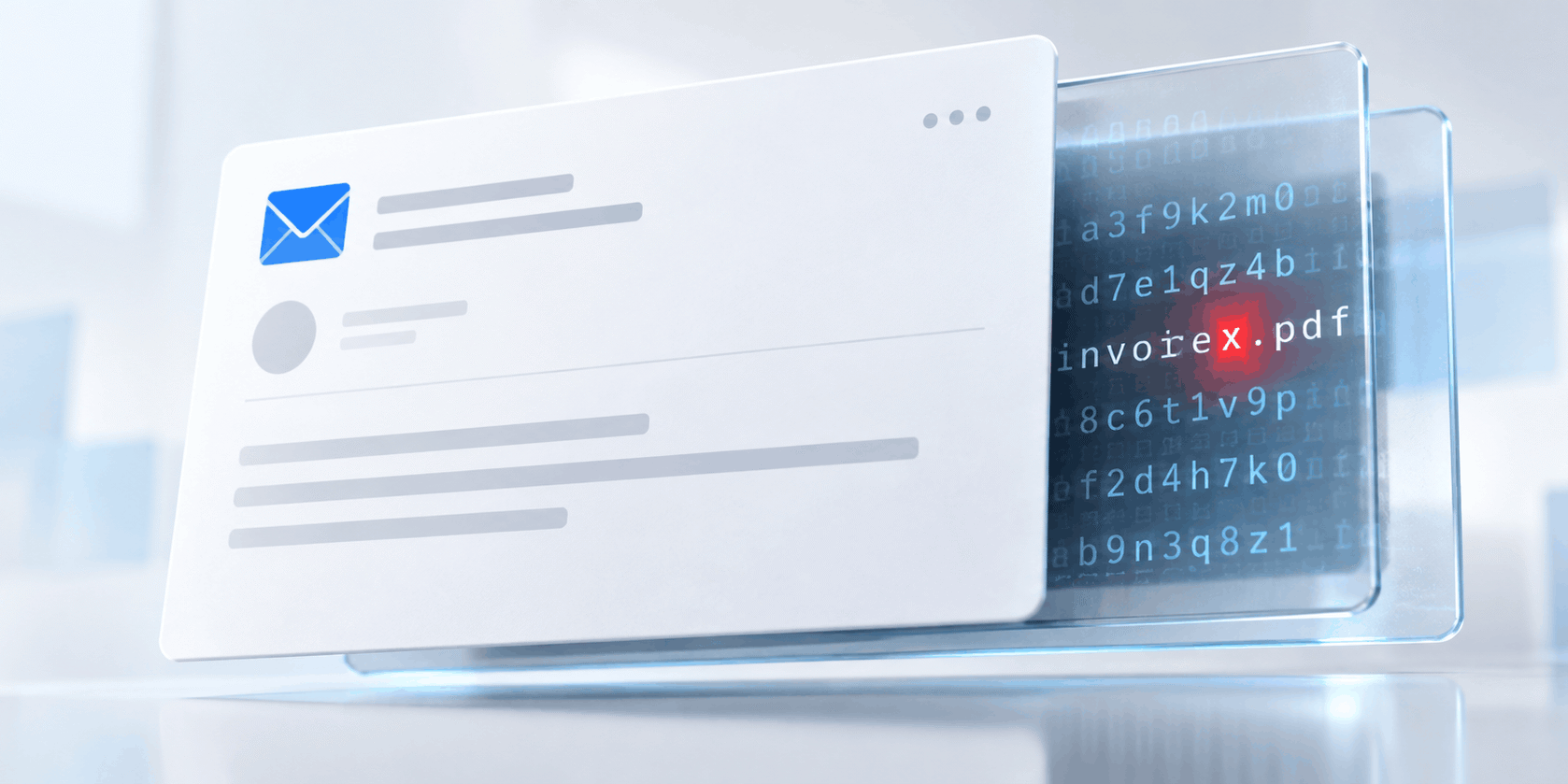
The Email Looks Perfectly Normal
The Code Says Otherwise.
Published 29 October 2026
You open an email offering business funding. The wording is ordinary. The links are visible. Everything looks exactly as it should.
Beneath the surface, your email-security system may be reading something else. Buried between the letters, there’s an invisible Unicode character, but you don’t see a gap or a symbol.
In one message examined by Microsoft®, the word “funding” appeared normally on screen, but the underlying sequence was “fun + U+E0020 + ding.”
That tiny difference can be enough to disrupt literal keyword matching, regular expressions or the way a machine-learning model breaks text into tokens for analysis.
This isn’t merely a laboratory trick. In September 2026, Microsoft Security Research described a large finance-themed phishing campaign that used invisible characters from the Unicode Tags block inside words that may typically signal a phishing email. At its height, Microsoft’s hunting signature recorded up to 2.37 million matching messages in a single day.
An attack technique first studied as an AI threat has crossed into conventional phishing.
The most interesting part isn’t the volume, though. It’s where the idea came from.
The technique first attracted attention in AI-security research, where attackers used it to hide prompt-injection instructions from people while leaving them readable by AI systems. Now it’s crossed into conventional phishing.
One Email, Two Different Readings
Email filters don’t look at a message in quite the same way we do.
We see the rendered result: recognizable words, familiar formatting, colorful graphics, and perhaps a respectable-looking financing offer. The security system receives code, headers, URLs, characters and other signals that must be interpreted before it can decide what the message means.
Usually, those two views line up. In this campaign, the attackers tried to pull them apart. Their goal, through invisible character insertion, was to help phishing emails evade detection by email-security systems.
Microsoft identified the inserted Unicode character as U+E0020, known as TAG SPACE, inside the word “funding.” The researchers represented the altered sequence as “fun + U+E0020 + ding.” Typical fonts and interfaces don’t render the character, so the word looked normal to the recipient. At the code level, however, the character interrupted the sequence of letters.
A rule searching for the exact word “funding” might therefore fail to find it. A tokenizer could divide the altered word into unfamiliar pieces. A system that removes or normalizes invisible characters first would simply reconstruct the word and analyze it normally.
That last point should have IT managers asking: What happens in my environment?

One invisible character can change what a security system thinks it’s reading.
Why It’s Called ASCII Smuggling
The Unicode Tags block covers code points U+E0000 through U+E007F. It contains tag versions corresponding to familiar ASCII characters, but most of them are invisible when displayed.
Security researchers popularized the term “ASCII smuggling” for attacks that use these characters to hide text inside apparently harmless content. A person sees nothing unusual. An AI assistant processing the raw text may receive and decode hidden instructions.
The phishing campaign Microsoft examined used the same character range differently. The attackers weren’t hiding a complete secret message or feeding instructions to an AI assistant. They were simply inserting a tag character as a separator inside visible words.
So “ASCII smuggling” is useful shorthand for the family resemblance, but “invisible-character insertion” describes this particular behavior more precisely.
The story isn’t that an AI prompt-injection campaign suddenly moved into everyone’s inbox. It’s that attackers found a new use for an evasion technique highlighted by AI-security researchers. Attack techniques rarely remain confined to the field where they first appear.
The Scale Was Hard to Ignore
Microsoft’s hunt began as research into email-borne prompt injection. The team built a signature to identify characters from the Unicode Tags block, then tuned it to exclude legitimate uses such as certain emojis.
On 8 February 2026, that signature fired on roughly 21,000 messages. A day later, detections jumped above 1.3 million. The signature exceeded 2.3 million matches on 11 February and peaked at 2.37 million on 26 February.
The high-volume phase continued for about three months, dropping sharply after mid-May. It also followed an almost comically tidy workweek. Traffic surged from Monday through Friday, then nearly vanished on weekends before returning.
According to Microsoft, most of the activity on the first day of the spike was associated with roughly 150 finance-themed sender domains. Microsoft found that the domain names recombined words such as “capital,” “funding,” “loan,” “growth” and “express.” The messages were sent through infrastructure associated with a legitimate email-marketing platform, which could make reputation-based assessment more complicated.
Attackers don’t always need to invent a new weapon. Sometimes they simply need to change one character.
The broader campaign existed before the attackers adopted these Unicode characters and continued after they stopped using them. This was an evasion technique added to an existing operation, not a completely new threat. That may be the more useful warning. Attackers don’t always need to invent a new weapon. Sometimes they simply need to change one character.
Did Microsoft Defender Miss Millions of Messages?
No, and I want to emphasize that point.
Microsoft said more than 99% of the messages were flagged by protective layers that didn’t depend on detecting the tag characters themselves. Those layers included sender, IP, URL and domain reputation, authentication checks, brand-impersonation detection and machine-learning spam and phishing classification.
Microsoft Defender for Office 365 can also render an image of message content, extract the visible text through optical character recognition and analyze what the recipient would actually see. That gives it another route to the word the attacker tried to break at the code level.
This research isn’t evidence that millions of messages sailed through Defender unnoticed. It’s evidence for defense in depth.

A tiny character-level trick appeared in millions of messages, mostly during the week.
One detection method can be confused. Another may catch the sending domain. A third may dislike the URL. A fourth may recognize the visual text. The attacker has to get past the entire stack, not merely beat one rule.
Organizations relying heavily on simple filters, homegrown rules or processing pipelines that evaluate text before invisible characters have been removed or normalized may be more exposed to this kind of evasion.
What IT Managers Should Check Now
You don’t need to launch an enterprise-wide Unicode emergency. You do need to learn how your defenses handle text that looks normal but isn’t.
Start by asking your email-security vendor or internal messaging team whether content is normalized before keyword, signature, regular expression (regex), natural-language processing or machine-learning analysis.
Next, verify that your tooling can strip or fold characters in the Unicode Tags range U+E0000 through U+E007F, along with other invisible or zero-width characters commonly used for obfuscation. Apply that process to subject lines and message bodies before content-based detections run.
Treat tag-block characters as an anomaly signal too. They’re rare in ordinary business email, although they do have legitimate uses. Microsoft’s researchers found that the subdivision flag emojis for England, Scotland and Wales use tag characters, which caused false positives in an early version of their signature. A rule that blocks every appearance without context could turn a Welsh flag into a security incident. That’s a difficult sentence to write with a straight face, but it’s a real tuning problem.
Don’t assume that a feature listed by a vendor works exactly the same way in your production environment. Test it.
Run controlled tests through your actual mail flow. Don’t assume that a feature listed by a vendor works exactly the same way in your production environment. Test it. Compare three versions of each test message:
- What the employee sees on screen
- What the underlying message source contains
- What the gateway, logs and downstream systems record after processing
If those three views don’t agree, you may have found the detection gap.
Next, determine whether the gateway detects or normalizes the character, whether downstream tools preserve it and whether custom rules, compliance systems or AI workflows receive the visible word or the altered sequence.
That last point about AI is becoming increasingly important. If an AI system summarizes email, creates tickets or acts on message content, normalization should occur before the content reaches the model. The same control can reduce exposure to both conventional filter evasion and hidden prompt injection.
Finally, review rules that depend on literal strings. Keyword searches can still be useful, but they’re brittle when treated as a complete defense. Add surrounding signals such as sender behavior, authentication results, domain age, URL reputation, message volume and unusual character use.
A Very Small Gap Can Carry a Very Large Campaign
The visible email isn’t the whole email.
That’s always been true of headers, redirects and HTML. Invisible Unicode characters add another layer to the problem because they can make familiar words look intact while changing what some systems receive.
For IT managers, the lesson isn’t to panic about an exotic new form of phishing. It’s to check whether the organization’s defenses agree on what a message says before they decide whether to trust it.
Microsoft’s research also offers a glimpse into how quickly security techniques travel. A character trick highlighted in AI prompt-injection research was repurposed to disguise ordinary phishing language at enormous scale. Tomorrow’s conventional attack may already be hiding in today’s specialist security paper.
Sometimes the most dangerous thing in an email isn’t what it says. It’s the part your users can’t see and your filters may not read.
By Ed Clark

LinkTek COO
Ed Clark

Feel free to share this article on your social media:
Recent Comments
- No recent comments available.


 ChatGPT,
 Gemini,
 Claude and
 Copilot
Leave a Comment