
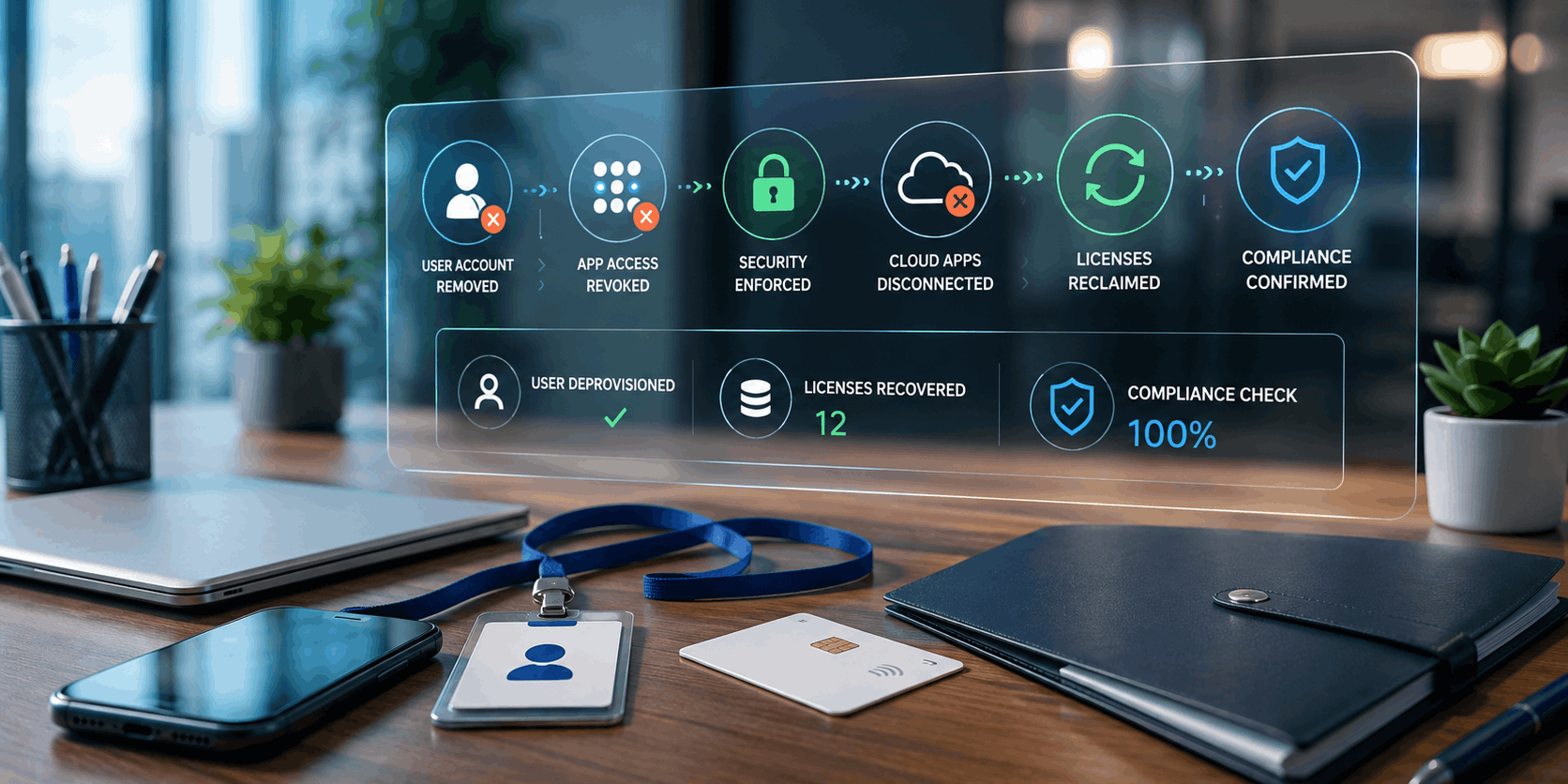
SaaS Offboarding Automation: Closing the Security Gaps and License Leaks
Published 27 August 2026
Sometimes, article ideas come to me from relevant topics that are in the news or trending online. Sometimes they come as an answer to a question I hear. And sometimes, they come from conversations I’ve had, as is the case with this article, which resulted from an insightful discussion with our Automation Officer.
When an employee leaves, the offboarding routine often feels completely familiar. Disable the account in Active Directory or Microsoft Entra® ID (a cloud-based identity and access management service, formerly known as Azure Active Directory), collect their work laptop and phone (if these were supplied), cancel badge access (if appropriate) and close the ticket.
Done, right?
Well, almost.
In a modern cloud environment, an employee’s digital footprint may extend far beyond the corporate directory. SaaS accounts, OAuth permissions, browser extensions, mobile apps and departmental subscriptions can all remain behind after the main identity has been disabled.
You also need to find the windows, side doors and the equivalent of the surprisingly well-furnished garden shed.
Some are security risks. Others are simply expensive ghosts, occupying paid seats long after their former owners have left the building.
For IT managers, migration consultants and MSPs, effective offboarding now requires more than simply closing the front door. You also need to find the windows, side doors and the equivalent of the surprisingly well-furnished garden shed.
Why Traditional Offboarding Misses Things
The problem isn’t usually a bad offboarding policy. It’s fragmentation.
A decade ago, many organizations could remove most employee access by disabling a network account. Today, users may work across dozens of cloud applications, some centrally managed and others acquired directly by individual departments. Marketing signs up for a design platform. Sales adopts a prospecting tool. Finance subscribes to an analytics app.
These applications aren’t necessarily connected to single sign-on (SSO) or the corporate identity lifecycle, and that generally creates some fairly common blind spots.
OAuth Tokens Can Outlive the Login You Disabled
OAuth allows users to grant applications access to services such as email, calendars, files and other business data without handing over their passwords. Those permissions need attention during offboarding.
Disabling a user’s primary account doesn’t automatically guarantee that every session, refresh token or third-party authorization throughout the SaaS estate has been invalidated. Microsoft, for example, provides separate mechanisms for revoking user sign-in sessions and refresh tokens.
Account disablement should be treated as one step in offboarding, not the entire process.
It also recommends deprovisioning users from connected applications when access needs to be removed, so disabling the primary identity isn’t become the end of the offboarding process.
The practical lesson is simple: Account disablement should be treated as one step in offboarding, not the entire process.
Shadow SaaS Lives Outside Your Identity Perimeter
Departments can acquire cloud applications without involving IT at all.
If an app was free or purchased with a corporate card, configured with a username and password, and never connected to your IdP (identity provider) through SAML (Security Assertion Markup Language) or OpenID Connect, your IdP may have little or no visibility into it. And even if the app supports centralized sign-in, that doesn’t necessarily mean its user accounts are automatically created or removed. For that, organizations often rely on SCIM (System for Cross-domain Identity Management) or a vendor-specific provisioning API to keep accounts synchronized with the identity system.
Even though you disable the employee in Entra ID, that independent SaaS account may quite merrily continue to exist.
This is where SaaS discovery becomes part of identity governance. Expense data, browser telemetry, Cloud Access Security Broker (CASB) platforms, Single Sign-On (SSO) logs and application inventories can help reveal services that would otherwise escape an offboarding workflow.
Why is it important? It’s as simple as the fact that you can’t deprovision an application you don’t even know you have.
The Silent Cost of Zombie Licenses
Obviously, security receives most of the attention, but incomplete offboarding also creates a potential financial problem.
Many SaaS products charge by the user, seat or assigned license. If a departing employee’s account remains active, suspended or simply forgotten, the organization may continue paying for access nobody uses. Obviously, one abandoned license isn’t a make-or-break point. But ten abandoned licenses across twenty applications become a whole lot more interesting to whoever approves the software budget.

Does the number of apps, extensions, and subscriptions you’re paying for exceed the number of staff actually using them?
Building an Automated SaaS Offboarding Pipeline
The best offboarding processes start when HR or the company’s identity system confirms that an employee is leaving. From there, automate as many of the remaining access-removal tasks as possible.
1. Connect Identity Lifecycle Management to SaaS Applications
Where supported, SCIM provides a standard method for provisioning and deprovisioning users between identity platforms and SaaS applications.
Microsoft Entra ID, for example, can use SCIM to automatically create, update and deprovision user accounts in compatible applications.
For applications that don’t support SCIM, vendor APIs can often perform the same work.
The objective is to create a dependable chain: Employee status changes → identity lifecycle changes → downstream SaaS access is removed.
This means you no longer have to depend on someone remembering to open fifteen admin consoles to remove access before they get distracted by something else. Automation also produces something equally valuable: Consistency.
2. Add Token and Session Revocation
Deprovisioning the SaaS account is only part of the job. Your workflow should also invalidate sessions, refresh tokens and delegated access where the identity platform allows it.
Microsoft Graph™ includes an operation for revoking a user’s sign-in sessions, which invalidates refresh tokens issued to applications as well as browser session cookies in supported scenarios.
Google Workspace™ administrators can likewise use the Admin Software Development Kit (SDK) Directory API to inspect and delete OAuth tokens issued to users for applications.
The implementation differs by platform, but the policy should be consistent: When employment ends, persistent authorization shouldn’t simply be left to expire eventually.
3. Recover and Reassign Licenses Automatically
Your offboarding workflow should also ask a financial question: What are we still paying for?

Make sure that when an employee leaves, they say goodbye to everything they’ve had access to.
When a user leaves, automation can identify assigned SaaS licenses, determine which services contain information subject to retention requirements, archive or transfer necessary data and release licenses that are no longer required. Where licenses can be reassigned, they return to the available pool. Where subscriptions can be reduced, IT or procurement can adjust the contract at the appropriate billing interval.
This turns offboarding into more than a security control. It becomes a small but continuous software asset management process. That potentially reduces expenses for the organization.
Four Practical Improvements You Can Make Now
You don’t need to redesign your entire identity architecture in one weekend. I think implementing four measurable improvements is a good start.
1. Audit Your Offboarding Service Level Agreement
Measure the time between an HR termination event and confirmed removal of access across critical systems. Don’t stop the clock when the directory account is disabled. Stop it when the important downstream applications are handled too.
For high-risk departures, the acceptable window may be very short.
2. Find Applications Outside Single Sign-On
Create an inventory of SaaS applications that aren’t connected to your central identity platform. Some of this discovery can be automated. Tools such as Microsoft Defender™ for Cloud Apps can analyze endpoint and network activity to identify cloud applications in use, including shadow SaaS that IT may not have formally approved. Similar SaaS management and CASB platforms can also help uncover applications through browser activity, network logs and other usage data. Supplement that automated discovery with expense reports, SSO logs and conversations with department owners to catch services that may still fall outside the technical view.
Expect surprises. A formal SaaS inventory often reveals tools IT didn’t know were in use, especially department-bought apps, free services and user-connected platforms that never passed through central procurement or identity management. SaaS inventories have a habit of growing when someone actually looks at them.
3. Automate Revocation Where APIs Exist
Use supported APIs and identity governance tools that can automate key parts of the termination workflow, including revoking active sessions, removing OAuth permissions and deprovisioning user accounts from connected applications. Examples include Microsoft Graph and Microsoft Entra provisioning, Okta Lifecycle Management and Okta Workflows, and the Google Workspace Admin SDK. Capabilities vary by platform and integration, so IT teams should verify exactly which sessions, tokens and application accounts each tool can revoke or remove.
Whatever method and tools you choose, the overarching point is don’t assume that one universal script can clean up every application. Each platform has its own permissions, token model and deprovisioning behavior.
4. Give Every License an Owner
Someone should be accountable for reviewing unused seats. For centrally managed applications, that may be IT operations or software asset management. For departmental SaaS, responsibility may sit with the business owner or department manager. Of course, use automation to make it faster and more efficient for those responsible. But, once established, don’t allow complacency to take root. Airline pilots are not permitted to switch on autopilot and then take a nap or stroll about the cabin. At all times, at least one pilot must constantly monitor everything the autopilot system does.
What matters is that ownership is clear. A license nobody owns is usually a license nobody remembers to cancel.
Offboarding Is Really Dependency Management
The larger lesson extends beyond identity management. Employees accumulate digital dependencies throughout their time with an organization. Accounts connect to applications. Applications connect to data. OAuth grants connect services to other services. Licenses become attached to users. Files, reports and workflows depend on all of them.
Offboarding is the process of unwinding those relationships safely.
A mature offboarding process therefore shouldn’t only ask, “Did we disable the account?” It should also ask:
- What was connected to this person?
- What still depends on them?
- What needs to be transferred, revoked or removed?
Former employees should leave with only good memories, not active OAuth tokens and three paid SaaS licenses.
Automating those answers closes security gaps, reduces manual work and prevents forgotten subscriptions from nibbling away at the software budget month after month.
The bottom line is that former employees should leave with only good memories, not active OAuth tokens and three paid SaaS licenses.
By Ed Clark

LinkTek COO
Ed Clark

Feel free to share this article on your social media:
Recent Comments
- No recent comments available.


 ChatGPT,
 Gemini,
 Claude and
 Copilot
Leave a Comment