

Is Data Migration the Same for Every Database Type?
Published 14 August 2026
Every IT department has that migration story.
“Remember the SQL Server migration where the reporting system lost three years of scheduled jobs?”
“Remember the Oracle move where the app worked perfectly, except nobody could log in?”
“Remember the workbook that connected to all the quarterly and annual reports for the last eight years, then right after the migration, it stopped working, and the finance department went nuts?”
These problems may sound related, but they don’t all come from the same place. The first could involve database jobs that were never transferred. The second might trace back to users, roles or application connections. The third has nothing to do with the database but with a content migration, after which critical workbooks failed to function because embedded links were broken during the migration.
Yet all of these are often lumped together as “data migration stories,” illustrating what a deceptively broad term “data migration” is.
These are often lumped together as “data migration stories”, illustrating what a deceptively broad term “data migration” is.
SQL Server, Oracle, PostgreSQL and MongoDB store and manage information differently. Each has its own architecture, features, dependencies and compatibility requirements. A migration plan that works for one database type may be completely unsuitable for another.
Database migration is also different from file or content migration. An organization may move databases while simultaneously transferring documents, spreadsheets, drawings and entire repositories. Those projects can overlap, but they involve different risks and require different tools.
So, is data migration the same for every database type? No.
Is a database migration the same as a file or content migration? No again.
The source and target platforms affect how information must be mapped, converted, tested and reconnected to the applications that depend on it. Meanwhile, the files surrounding those databases bring their own relationships and dependencies, many of which break even when the database migration succeeds.
Understanding the difference can prevent a project team from solving one problem beautifully while overlooking another.
Different Databases Create Different Problems
The word “database” covers systems that organize, store and retrieve information in very different ways.
The above-mentioned SQL Server, Oracle and PostgreSQL are relational database management systems. They generally organize information into tables, rows and columns with defined relationships between them. MongoDB is a document database, using flexible document structures instead of conventional relational tables. These differences affect almost every part of a migration.
A SQL Server migration may involve compatibility checks, deprecated features, logins, scheduled jobs, stored procedures and application connections.
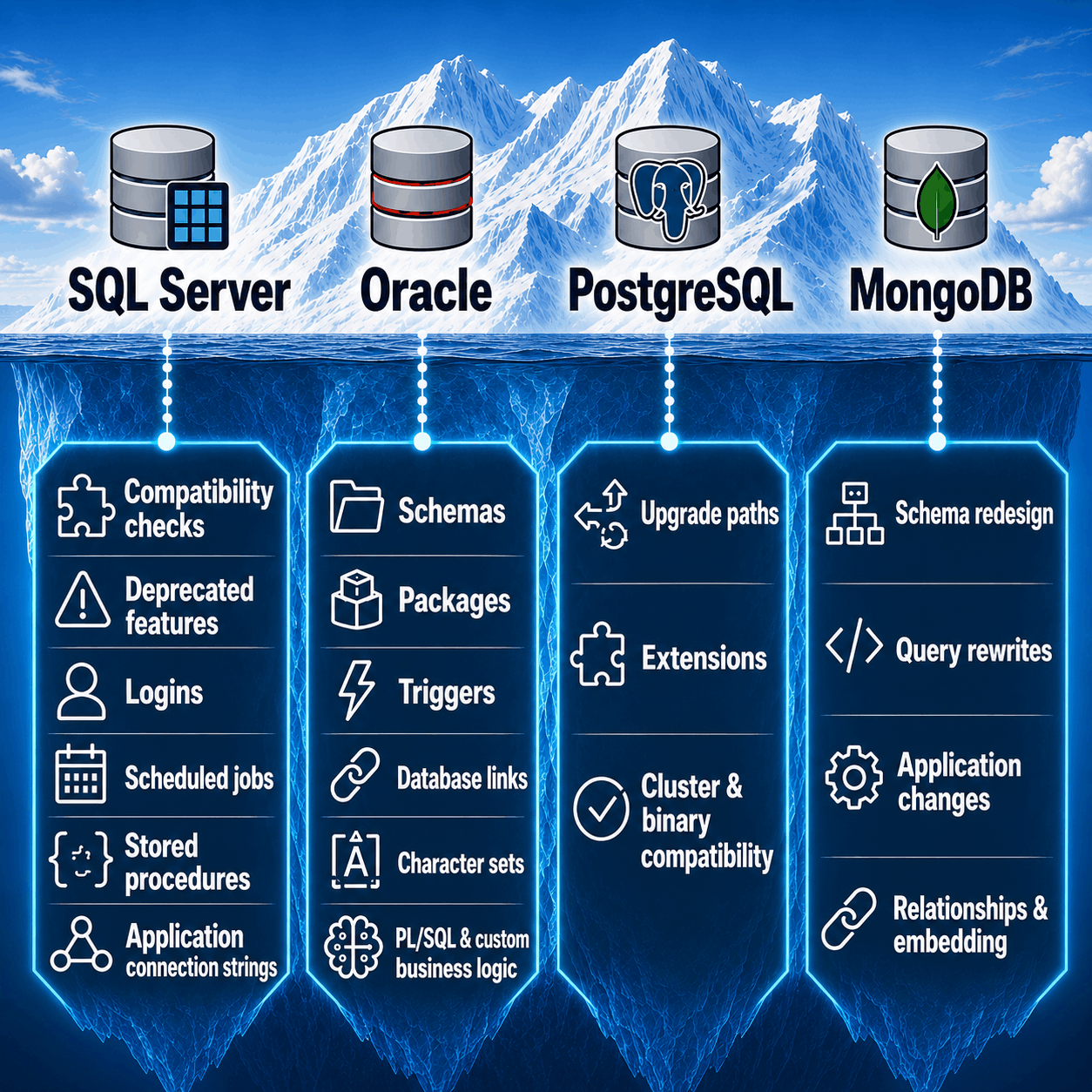
They’re all called database migrations — but beneath the surface, SQL Server, Oracle, PostgreSQL and MongoDB can turn into very different projects.
An Oracle migration may involve schemas, packages, triggers, database links, character sets and years of custom business logic. Often, the difficulty isn’t moving the tables. It’s discovering everything that has grown around them.
PostgreSQL has its own upgrade paths, extensions and compatibility requirements. Moving from a relational system to a document database may require redesigning schemas and rewriting application queries rather than simply transferring records.
Even migrations between similar systems vary according to source and target versions, data types, custom code, authentication, transaction volume, downtime limits and application dependencies.
There’s no universal sequence of buttons that makes every database migration the same. If there were, IT staff would receive fewer late-night calls (and would maybe actually take their allotted annual leave). A migration strategy that works perfectly for one database can create unexpected problems in another, which is why understanding the environment is just as important as executing the migration itself.
Why Database Migration Success Doesn’t Guarantee Overall Success
Large IT transformations often group database, application and content moves together under the heading of “data migration.” But that potentially obscures an important planning distinction.
Database migrations typically focus on schema conversion, transaction integrity, application compatibility and performance. File migrations, on the other hand, introduce different risks: permissions, metadata, version histories, naming conventions, links and the business context that makes documents usable.
The issue isn’t solely technical. Responsibility for file content can also fall between teams, leaving teams unclear about who is responsible for content selection, migration validation and confirmation that users can access and use the files as expected.
As a result, a database migration can meet every technical success criterion while users still encounter broken links, missing permissions or documents they can no longer find.
For IT leaders, the key is to treat database and file migration as separate but interdependent workstreams, each with its own risks, responsibilities and success criteria.
The Relationships Users Take for Granted
Most users don’t experience corporate information as a collection of isolated files. They experience it as one connected working environment.
A project proposal links to its cost model. The cost model pulls figures from another workbook. An engineering drawing references external files. A PDF specification points to supporting documents. A SharePoint page directs employees to policies, forms and archived decisions. When these connections work, nobody really notices them. A user clicks a link and the correct file opens. Nobody pauses to admire the file path or raise a small toast to the storage architecture.
Nobody pauses to admire the file path or raise a small toast to the storage architecture.
Move or rename the target file, however, and the links break. The source document can remain healthy. The destination file can still exist. Both may have passed migration validation, but the connection between them is gone. And the users feel the impact immediately.
From their perspective, it doesn’t matter that the files successfully migrated. If the links no longer work, the information they rely on is effectively out of reach. That quickly leads to frustration, workarounds, duplicate files and a loss of confidence in the new environment.
File links often escape conventional testing. A migration tool may confirm that every file reached the destination without confirming that the links embedded inside those files still point to the correct locations. It’s the digital equivalent of moving every employee safely into a new office building while forgetting to mention that HR and Accounting are now three blocks away in a different building. Technically, nothing is missing, but nobody knows where to find what they need.
Why IT and Users Disagree About Success
Migration teams and users often judge the same project from different vantage points. IT asks whether every record transferred, the databases are available and the applications can connect. Users ask whether the report opens, the spreadsheet still works, the contract is easy to find and the drawing loads its references. Both of these definitions of success are valid. The problem begins when a project plans only for the first.
The CFO doesn’t care that the migration log is green when the quarterly report is displaying the dreaded #REF! error.
A technically accurate migration can still produce a poor business result. Every file may exist, every database may be healthy and every server may be running. But if employees can’t follow the data relationships they used before the move, to them, the environment no longer works as expected. And the CFO doesn’t care that the migration log is green when the quarterly report is displaying the dreaded #REF! error.
The Hidden Cost of Broken Connections
While broken links don’t always cause one dramatic outage, they frequently create hundreds or thousands of small disruptions that add up to dramatic problems.
An engineer wastes a day (at his pay rate) reconnecting references in a drawing file. A finance team spends days rebuilding links in account spreadsheets. Legal has to search several libraries for a contract that once opened directly from a project folder. An MSP receives tickets from users who describe the problem only as the files are “gone” or are “missing data.”
The truth is that the file may not be gone at all. Its address simply changed.
Each incident looks manageable in isolation. Across the organization, the costs accumulate through lost time, support work, delays, downtime and manual workarounds.
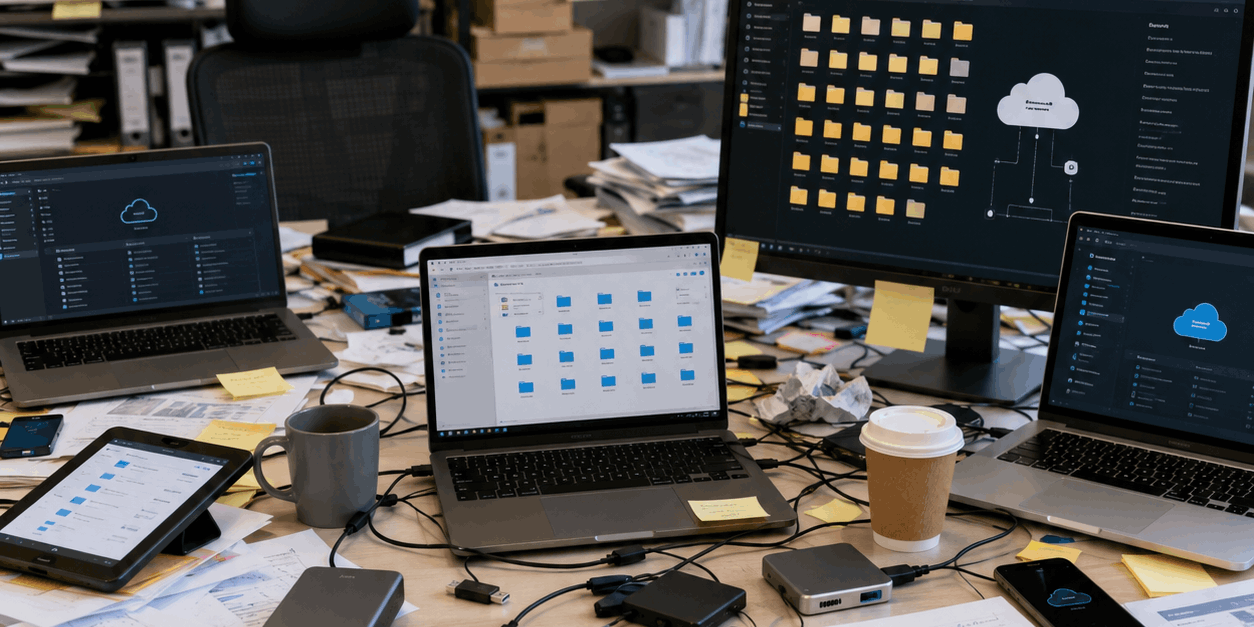
What’s the point of a migration that simply results in data sprawl?
And after you finally fix all the damage caused by broken links, you may end up with another common problem: When employees stop trusting their links, they start creating workarounds. They save local copies, send email attachments, create duplicate folders and keep outdated versions of files because they can no longer be confident that the links in the new environment will work. Over time, these workarounds result in duplicate content, version-control problems, and uncertainty about which information is current.
The migration that was intended to streamline data and improve collaboration can end up creating more information bloat, weakening version control and governance, and costing more to store.
What Experienced Migration Teams Examine
Experienced teams don’t assume that a successful transfer guarantees a successful transition.
For database migrations, teams examine schema compatibility, application dependencies, stored procedures, authentication, performance, cutover requirements and rollback options.
For file and content migrations, teams examine embedded links, mapped drives, UNC paths, CAD references, folder changes, metadata, permissions and workflows built around connected content.
This discovery work can expose dependencies before users encounter them under pressure. It also helps the team choose the right tool for each layer.
If you want uninterrupted data availability, you need to protect the file links.
A database migration platform handles databases. A content migration platform moves documents and repositories. A link-management solution protects the connections inside and between files.
One tool shouldn’t be expected to perform all three jobs. For specialized jobs, you need specialized tools.
Where LinkFixer Advanced Fits
LinkFixer Advanced™ is designed for the file and content layer of a migration.
It doesn’t convert an Oracle schema into PostgreSQL or move SQL Server stored procedures into MongoDB. Its role is to help preserve or repair links when files and folders are moved, renamed or reorganized.
LinkFixer Advanced can protect working links before a migration and automatically repair broken links afterward. It can process links in common business and technical file formats, including Microsoft Office documents, PDFs and more. It also works with migrations and file-system restructuring involving SharePoint, OneDrive, Egnyte, Box, OpenText and Windows file systems.
For specialized jobs, you need specialized tools.
This matters because migration tools generally concentrate on delivering content to the destination. They may not protect or update every link embedded inside that content when file paths, server names, folder structures or repository addresses change.
LinkFixer Advanced addresses that specific problem.
In any well-planned content migration, the goal isn’t solely to make certain all the spreadsheets arrive at the destination. It’s to ensure that the spreadsheets can still draw data from all the files they rely on (like the eight years of quarterly and annual reports).
It’s not merely to move the legal contracts. It’s to preserve the links that connect each of them to supporting documents, exhibits and related records.
It’s not only to copy the project archive. It’s to keep the information inside that archive connected and useful.
The Best Migration Is a Forgettable One
We’ve established that migration isn’t the same for every database type and that each platform brings its own architecture, compatibility questions and operational risks. We’ve also established that database migration isn’t the same as content migration. Structured records, document repositories and embedded file links require different forms of planning, testing and protection.
When all three happen, the day after cutover is blissfully uneventful.
The most successful projects recognize these layers early.
They confirm that the databases are sound. They verify that the files arrived. They preserve the relationships that allow people to use those files without interruption. And when all three happen, the day after cutover is blissfully uneventful.
Reports open. Presentations load. Contracts appear as expected. The help desk is peaceful and quiet and nobody has to become an amateur digital archaeologist before lunch.
That may not make for a legendary migration story, but it makes for something better: a migration nobody needs to talk about, beyond celebrating its success.
By Ed Clark

LinkTek COO
Ed Clark

Feel free to share this article on your social media:
Recent Comments
- No recent comments available.


 ChatGPT,
 Gemini,
 Claude and
 Copilot
Leave a Comment