
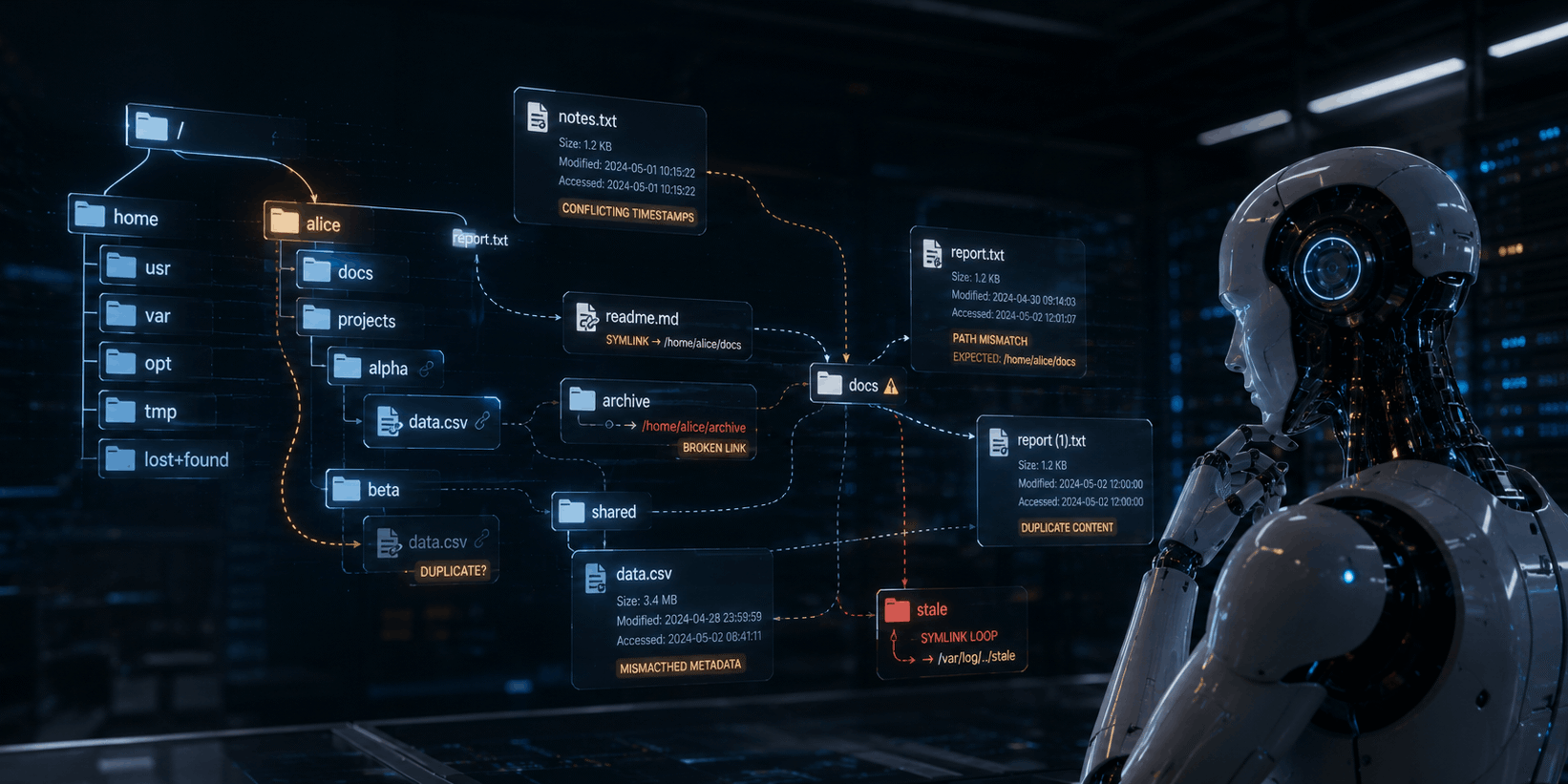
Your AI Isn’t Hallucinating. Your File System May Be Lying to It.
Published 30 June 2026
Imagine your company launches a new enterprise AI assistant. The system has been connected to your internal vendor agreements, legal policies and operations documents. During a board meeting, someone asks a straightforward question: “What’s our liability if our primary logistics partner misses a delivery deadline?”
The AI searches the contract library and returns an answer from the 2024 Master Services Agreement. It says liability is capped at $500,000 annually. The response is clear, well-formatted and confidently cites a section number. It sounds like the kind of response that makes executives feel comfortably in control.
Unfortunately, it’s wrong.
AI gives the wrong answer, but with such polished confidence that nobody questions it.
Three months earlier, a newly executed addendum raised the cap to $2.5 million. That addendum was saved in a separate file and referenced via a link in the original contract. During a cloud migration, that link broke. The AI indexed the main agreement but never reached the addendum. (Oops!)
The model didn’t randomly invent the old cap. It found it in a real document. The problem was that the document structure was broken. The legal truth existed, but the AI couldn’t see it.
That isn’t merely an AI hallucination problem. It’s a data integrity problem.
A Glitch or AI Tricks?
Enterprise AI may have a reputation problem. One day, it’s the brilliant new assistant that promises to summarize contracts, find lost policies and answer boardroom questions before anyone has finished their coffee. The next day, it gives the wrong answer, but with such polished confidence that nobody questions it.

It’s allegedly intelligent, so we tend to trust the answers.
When that happens, people usually blame “AI hallucination.” The phrase is convenient. It sounds technical enough to be respectable and vague enough to end the meeting. Yet in many business settings, the model isn’t inventing information from nowhere. It’s reading the files it was given, following the paths it can see and doing exactly what it was built to do.
The real problem may be much less glamorous: broken links, outdated file paths and missing document relationships.
That may not sound like the plot of a high-tech thriller, but it’s one of the quiet risks behind enterprise AI. If an AI system relies on company documents, then the health of those documents is critically important.
A retrieval-augmented generation system, or RAG, can only retrieve what it can access. If critical context lives in a moved spreadsheet, renamed addendum or dead hyperlink, the AI may never see it.
You can’t blame the AI for crappy, inadequate answers when that’s the nature of the data it’s being fed.
Why RAG Depends on Clean Corporate Files
Retrieval-augmented generation (RAG) is designed to make AI more useful inside organizations. Instead of relying only on a model’s general training, RAG connects the model to specific information such as internal documents, databases, knowledge bases and cloud repositories. When someone asks a question, the system retrieves relevant content, passes it to the model and asks the model to generate an answer from that context.
Done well, RAG can improve accuracy, relevance and trust. Done with gaps in the data, it can produce answers that sound authoritative while quietly missing the most important facts. Google’s guidance on RAG evaluation notes that RAG can reduce hallucinations by grounding answers in retrieved data, but its reliability depends on careful implementation and evaluation.
The key phrase there is “retrieved data.” If the RAG system cannot retrieve the right file, the model cannot reason from it.

AI isn’t some kind of psychic wizard. It needs cold, hard, accurate data to produce reliable outputs.
If the system indexes an outdated contract but misses the current addendum, the answer may be beautifully written and dangerously wrong. If a migrated Excel workbook loses cross-file references, the AI may summarize an incomplete financial picture. The AI doesn’t call Brenda in accounting to ask where the references moved to. Brenda remains blissfully unaware. The AI simply remains uninformed, while spouting seemingly believable answers.
Large language models aren’t psychic detectives. They’re pattern engines that work from the information made available to them. If the available information is incomplete, stale or disconnected, the model’s answers will inherit those weaknesses.
The Hidden Fragility of Corporate Knowledge
Companies rarely store knowledge in neat, self-contained files. Corporate memory is more like a sprawling city than a neat bookshelf. Contracts link to schedules. Schedules link to addenda. Financial models pull from departmental reports. Engineering manuals reference CAD files, safety documents and compliance checklists. HR policies point to benefits documents, regional rules and updated procedures.
Humans can often work around this mess. When an employee runs into a broken link, they may recognize the old server name, search SharePoint, ask a colleague or remember that the folder was renamed after the merger. Human beings are brilliant at improvising around organizational chaos. AI pipelines are not.
Of course, if humans are confronted with hundreds (or more) of broken links, even the most brilliant of us can’t improvise around that, without significant automated assistance. But I’ll get into this aspect later.
When an ingestion tool encounters a broken link, it may see only dead text. It doesn’t necessarily know that G:\Legal\Contracts\Vendor_Final_Final_ReallyFinal.pdf moved to a SharePoint folder with a different URL. It doesn’t know that an old spreadsheet has a live replacement ... unless the system has been designed to preserve that relationship.
When an ingestion tool encounters a broken link, it may see only dead text. It doesn’t know that G:\Legal\Contracts\Vendor_Final_Final_ReallyFinal.pdf moved to a SharePoint folder with a different URL.
This matters because enterprise AI is often built on relationships between documents, not just the documents themselves. The meaning of one file may depend on another. A contract clause may be modified by an addendum. A financial forecast may depend on linked spreadsheets. A safety procedure may rely on a referenced standard. Break the link, and you break the context.
Cloud Migration Can Worsen the Problem
Many organizations are moving files from legacy servers into cloud platforms so that they can support remote work, improve collaboration and security, strengthen governance and prepare for AI tools. That move makes sense. Modern AI systems often work best when data is accessible through cloud-based repositories and governed platforms.
The trouble begins when files are moved, but their internal links don’t survive the trip.
AI is often built on relationships between documents, not just the documents themselves.
Microsoft’s support documentation notes that workbook links break during migration because of changed file paths, broken links between cloud locations or differences in how tools handle external references. This isn’t an abstract nuisance. It’s a practical issue for organizations with years of spreadsheets, Word documents, PowerPoint decks and PDFs that reference one another through absolute paths.
An old network path might look like this: \\LocalServer\Finance\Forecasts\Q3_Model.xlsx.
After migration, the file may live somewhere entirely different, often behind a cloud URL. If linked formulas, embedded references and internal hyperlinks aren’t repaired, files that once formed a working knowledge network become disconnected, isolated islands.
That can be downright disastrous for AI (not to mention executives, IT staff and employees).
An AI system crawling the new cloud repository may index thousands or millions of documents, but if the connective tissue between those documents has been severed, AI builds an incomplete picture. It can read the words inside each file, yet miss the important logic that connects them.
Deploying AI on a file system with lots of broken links is a bit like hiring a brilliant researcher, then sending them to a library where half the index cards point to empty shelves. The researcher may still produce an answer, but he or she cannot cite data they were never able to find. So, you’ll get your answer, but it’s incomplete, unreliable, possibly false and therefore virtually worthless (and in some cases very costly).
Why “Garbage In, Garbage Out” Still Wins
Generative AI may feel new, but one old rule remains undefeated: garbage in, garbage out.
IBM describes high-quality data as the foundation of trusted and effective AI and notes that data quality management becomes more important as AI systems grow more complex and scalable. That point is especially important for RAG because the system depends on both the quality of the source content and the reliability of retrieval.
To make matters worse, bad data doesn’t always look bad. It doesn’t help that it’s often disguised. In enterprise AI, it often looks very professional. A wrong answer may include headings, tables, legal language and a calm tone. That polished, confident presentation can make the error harder to catch.
This is why broken links are so dangerous. They’re usually invisible until someone asks the right question. A file may open normally. A folder may look organized. A dashboard may appear complete. Yet underneath, a formula could point to nothing, a policy may reference a missing update or a contract may link to a decommissioned drive. This can make the difference between a reliable answer and an expensive mistake.
The Business Risks Are Real
Broken file relationships can affect multiple business areas at once.
In finance, linked spreadsheets often carry statements, forecasts, currency conversions and departmental inputs. If those links break, an AI tool may analyze only the visible workbook and miss the dependent data that completely changes the conclusion.
In legal and compliance, documents frequently rely on amendments, schedules, exceptions and jurisdiction-specific requirements. If an AI assistant misses those connected files, it may give advice based on outdated or incomplete information.
In operations, manuals and standard operating procedures often reference diagrams, safety documents, parts lists and vendor instructions. If those references are dead, the AI may offer technically incomplete or inaccurate guidance even though the wording sounds helpful.
The damage isn’t limited to one bad answer. It can erode trust. When employees realize that they have received incorrect responses from an AI assistant, they stop using it. They return to manual search, private folders and tribal knowledge. The company still pays for the AI program, but the workforce quietly ignores it.

When a business spends a fortune on AI, you don’t want users ignoring it and resorting to low-tech practices.
That’s how an exciting AI transformation, filled with thrilling, infinite potential, becomes a very expensive disappointment.
Why Smarter Models Are Not Enough
When enterprise AI underperforms, many teams instinctively look for a better model. They compare vendors, tune prompts, adjust settings and debate whether a larger context window will save the project.
Those changes may help, but they don’t solve broken source data.
A more powerful model still cannot retrieve a file it can’t reach. A better prompt can’t repair a dead link. A larger context window cannot include an addendum that was never indexed. Sure, model quality matters, but data readiness matters first.
Research on RAG evaluation shows that RAG systems combine retrieval and generation amid changing knowledge sources. That means reliability is not only a model problem. It’s also an ingestion problem, a governance problem and a data-quality problem.
In plain English: The AI is only part of the machine. But it can do nothing when the good stuff is hidden in a locked filing cabinet ...
What Automated Link Management Does
Automated link management is the process of finding, mapping, preserving and repairing the links between files across an organization. For companies preparing for AI, it shouldn’t be treated as minor housekeeping. It should be part of the AI readiness pipeline.
A strong link management process usually includes three stages.
First, audit the current data estate. Before migration or AI indexing, scan key repositories to identify internal links, embedded references, cross-file dependencies and broken paths. This creates a map of how documents actually depend on one another.
Second, either protect links before moving or renaming data, or repair broken links after files move. If a migration changes file locations, old paths must be updated to new destinations wherever possible. This helps preserve the relationships between contracts, spreadsheets, policies and supporting documents.
Third, monitor continuously. Corporate data changes every day. Employees rename folders, replace files, archive old versions and create new references. Link integrity isn’t a one-time project. It’s an ongoing discipline.
LinkFixer Advanced™ is designed for exactly this kind of automated link remediation. Its goal is simple: Keep file relationships intact so humans and AI systems can find the whole story, not just the first chapter.
How This Improves Enterprise AI
When links are healthy, AI systems can build a more complete understanding of corporate knowledge. A RAG pipeline can retrieve not only a primary document, but also the files that modify, explain or support it. That improves the odds that generated answers are current, contextual and correct.
Clean links also help with governance. When a company can trace how documents relate to one another, it becomes easier to manage version control, retention, compliance and audit readiness. The same practices that make AI more reliable also make the broader information environment more accountable.
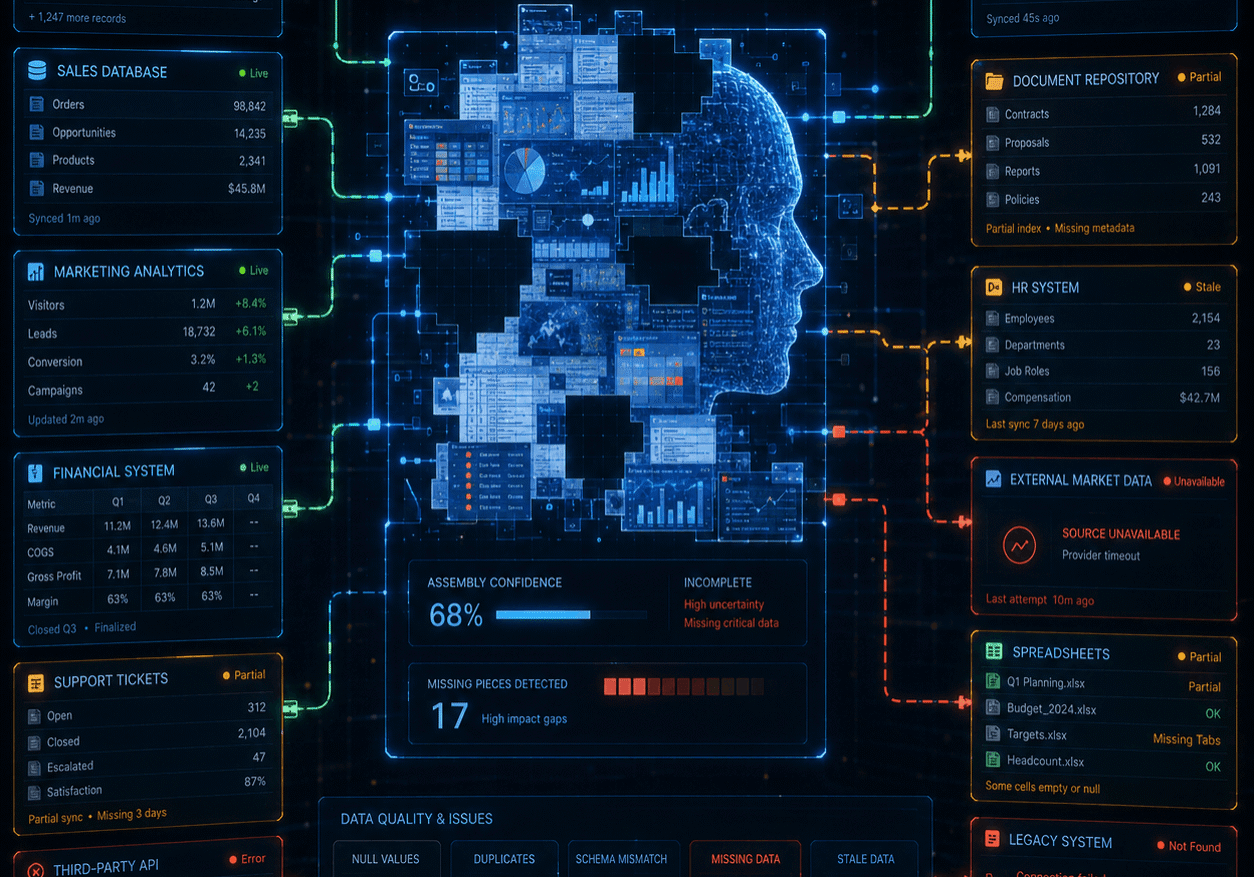
With incomplete data, AI can’t help but build an incomplete picture.
This is especially important as AI moves from experimentation to daily operations. McKinsey reported that 65 percent of surveyed organizations were regularly using generative AI in 2024, nearly double the number from ten months earlier. As adoption grows, small data issues can scale into large operational risks. A broken link that once annoyed one analyst may now mislead hundreds of AI-assisted decisions.
A Practical AI Readiness Checklist
Before connecting enterprise AI to internal files, leaders should ask a few direct questions:
- Where do our most important files live today?
- Which repositories contain contracts, financial models, policies, engineering documents and compliance materials?
- How many of those files contain links to other files?
- Do those links still work after migration, reorganization or cloud adoption?
- Are old versions clearly separated from active versions?
- Can we trace relationships between primary documents, amendments, schedules and supporting evidence?
- Do we have a process for repairing broken links at scale?
- Who owns ongoing data hygiene after the AI launch?
These questions aren’t glamorous. No one puts “fixed old file paths” on a keynote slide and expects applause. Still, this is the work that determines whether enterprise AI becomes part of your trustworthy infrastructure or simply masquerades as an overconfident intern with access to limited data.
The Bottom Line
Enterprise AI doesn’t fail only because models hallucinate. It often fails because the organization’s information environment is fragmented, outdated or quietly broken.
If your AI assistant gives inconsistent answers, don’t start by blaming the model. Look at the data layer. Look at the links. Look at the migration history. Look at the old network paths hiding inside the documents that everyone assumes are fine.
Your AI doesn’t need a crystal ball. It needs a file system that tells the truth.
AI can summarize, retrieve and reason across large volumes of corporate information, but only if that information is connected and accessible. Broken links create blind spots. Blind spots create wrong answers. Wrong answers create potentially expensive errors and, ultimately, distrust.
The fix isn’t always more compute, more prompts or yet another vendor demo. Sometimes the smartest AI strategy begins with the least glamorous sentence in technology: Clean up the files first.
Repair the links. Preserve the dependencies. Maintain the document graph. Then let AI do what it was meant to do: Help people find accurate answers faster.
Your AI doesn’t need a crystal ball. It needs a file system that tells the truth.
Call us at 727-442-1822 to speak with a knowledgeable Service Consultant. Alternatively, visit LinkTek.com for more information or to chat with us online.


Feel free to share this article on your social media:
Recent Comments
- No recent comments available.


 ChatGPT,
 Gemini,
 Claude and
 Copilot
Leave a Comment