

Continuous Identity vs Multi-Factor Authentication: What & Why
Published 1 June 2026
Multi-Factor Authentication is kind of like checking someone’s ID at the door. But with AI entering the cybersecurity field as a major player, a one-off ID check is no longer enough.
The moment of impact in a modern cyberattack is often silent. There’s no flashing red light, no dramatic alarm and no hooded figure typing furiously in a dark room or hightailing his way to the exit to the sound of a spooky soundtrack.
Instead, most security teams see nothing more than a reassuring green checkmark — the universal symbol of success. A user logs in, completes their Multi-Factor Authentication (MFA) challenge and is granted entry. To your system, everything looks perfect. But while the credentials are valid, the person behind the screen is not.
The trust persists even when the risk has skyrocketed.
In that split second, your entire security perimeter has been bypassed. The attacker didn’t even have to “break in.” They simply walked through the front door using a stolen session token. Once inside, they have hours, if not days, to move around, exfiltrate data and plant ransomware, all while your security dashboard shows a “trusted” session. This is the fatal flaw of point-in-time authentication: It treats identity as a one-time event rather than a constant state of being.
The Identity Gap: Why Checking ID is Not Enough
For decades, IT security has relied on the static authentication model. Whether it’s a simple password or a modern biometric scan, the logic is the same: Verify the user at the start of the session and trust them until they log out.
This worked in an era when users sat at corporate desks, plugged into corporate machines, accessing local servers. But in today’s landscape of remote work, cloud-native applications, and sophisticated Adversary-in-the-Middle (AiTM) attacks, this model is dangerously obsolete. We are currently facing three primary identity gaps that static authentication simply cannot bridge:
In Zero Trust, the fundamental mantra is “Never trust, always verify.” Continuous Identity provides the technical mechanism to make that verification “always.”
- The Persistence of Trust: If a user’s device is compromised after they have logged in, or if their session token is stolen via a proxy attack, the system remains blind to the change in control. The trust persists even when the risk has skyrocketed.
- MFA Fatigue and Bypass: Attackers now use push-bombing (overwhelming a user with MFA requests until they hit “Approve” by accident or out of frustration) or transparent proxies to intercept MFA codes in real-time. Sadly, once the gate is open, the gatekeeper goes to sleep.
- The Insider Threat: Static systems cannot distinguish between a legitimate employee performing their duties and a disgruntled staff member suddenly downloading the entire client database. To the system, both are simply “Authorized User 123.”
To close these gaps, the industry is moving toward Continuous Identity (CI).
What is Continuous Identity?
Continuous Identity (often used interchangeably with Continuous Authentication) is the practice of verifying a user’s identity and risk level throughout the entire duration of a digital session.
Instead of a “Yes/No” binary check at the login screen, Continuous Identity functions as a “risk pulse.” It constantly gathers signals from the user’s behavior, device and environment to ensure that the person who logged in at 9:00 AM is still the same person behind the keyboard at 2:00 PM.

Continuous Identity effectively constantly monitors your system’s risk pulse.
The Core Components of Continuous Identity
| Component | Description | Examples |
| Behavioral Biometrics | Patterns in how a human interacts with a device. | Keystroke dynamics, mouse movement, touch pressure. |
| Environmental Signals | The context of the connection. | IP reputation, geofencing, time-of-day anomalies. |
| Device Health | The security posture of the endpoint. | OS patch level, presence of EDR (Endpoint Detection and Response), disk encryption status. |
| Network Context | The path the data is taking. | Use of known corporate VPNs vs. suspicious “bulletproof” proxies. |
The Architecture of Constant Verification
Continuous Identity is the operational heart of a Zero Trust Architecture. In a Zero Trust world, the fundamental mantra is “Never trust, always verify.” CI provides the technical mechanism to make that verification “always.”
Even a short period of unattended access is enough to allow a hacker to cause significant damage.
At a high level, a CI system operates on a feedback loop governed by a Risk Engine. This engine calculates a probability score, R, representing the likelihood that the session has been compromised.
R = f(B, C, D, T) in which:
f represents the function, such as a Risk Engine or Machine Learning Algorithm.
B = Behavioral anomalies (actions, events, or data that deviate from normal or expected patterns)
C = Contextual changes (any change in location or network)
D = Device integrity (whether any system device has been compromised or altered)
T = Threat intelligence (leaked credentials, known bad IPs)
If R exceeds a predefined threshold, the system triggers an adaptive response.
Moving from Binary to Adaptive Security
The most significant change for an IT manager transitioning to Continuous Identity is the move from “block vs. allow” to adaptive governance.
In a static world, if a user’s behavior looks suspicious, the only real option is to kill the session. This is disruptive to productivity and often results in “false positive” headaches for the help desk. Continuous Identity allows for a more nuanced approach to security. Here are some examples:
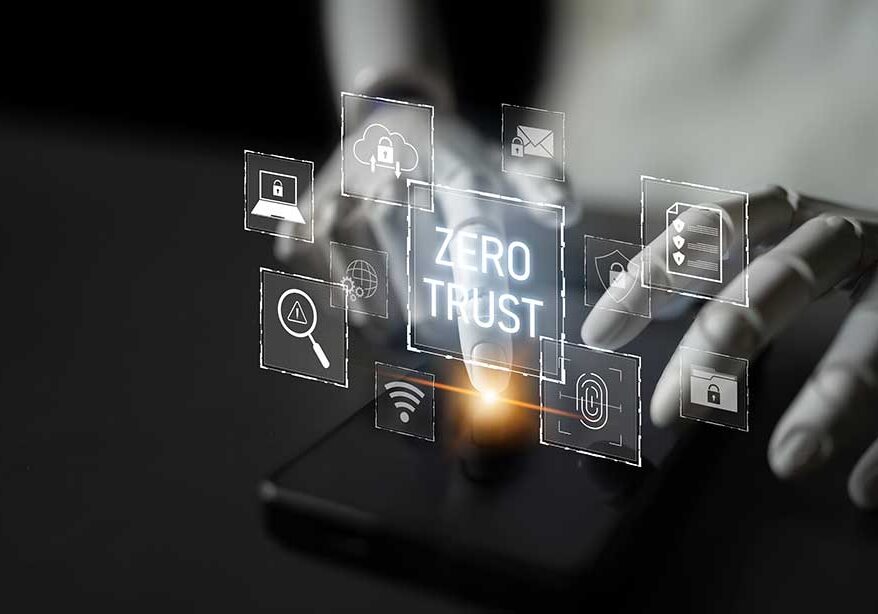
At the heart of Zero Trust architecture lies Continuous Identity.
- Passive Observation. As long as the risk score remains low, the user experiences zero friction. They aren’t prompted for passwords or MFA.
- Step-Up Authentication. If the user moves from their home office to a public Wi-Fi network, the risk score increases. The system might prompt for a quick biometric (FaceID or fingerprint) to re-verify the session without kicking the user out.
- Feature Restriction. If a user starts accessing sensitive directories they rarely visit, the system may temporarily restrict their “Write” or “Delete” permissions while maintaining “Read” access.
- Session Termination. If behavioral biometrics show a complete mismatch (such as a change from a right-handed mouse user to a keyboard-only power user) or an “impossible travel” (where a user account logs in from two vastly different geographic locations) scenario, the session is terminated immediately and the account is locked.
What Continuous Identity Replaces
- The “Session Timeout” Frustration
We have all dealt with the “8-hour timeout” (in which users are automatically logged out, regardless of their activity level) or the “30-minute inactivity” rule (in which a user’s session is automatically terminated after 30 minutes of inactivity). These are blunt instruments designed to limit the window of opportunity for an attacker. However, they are hated by users and offer a false sense of security. Even a short period of unattended access is enough to allow a hacker to cause significant damage. CI replaces fixed timeouts with activity-based trust. If you are active and your behavior is consistent, your session stays alive. If you walk away and someone else sits down, the system detects the change in typing cadence (or some other metric) and locks the screen.
- Excessive MFA Prompts
MFA fatigue is a real security risk. When users are prompted for a code every time they open a different app, they stop paying attention and start clicking “Approve” reflexively. CI allows for silent authentication. By constantly verifying the device and behavior, you can actually reduce the number of times a user has to interact with an MFA prompt, saving the high-friction security for truly high-risk moments.
- Over-Privileged Sessions
Static identity grants permissions at login. If you have “Admin” rights, you have them for the whole session. CI enables Just-In-Time (JIT) Administration. Access is verified not just for the user, but for the specific action they are taking at that specific moment.
The IT Manager’s Roadmap: Implementing Continuous Identity

Continuous Identity can be achieved in just four phases.
Note: The following is only an overall guideline as to the general phases. Depending upon the year you are reading this article, there may have been some changes. I recommend you get analysis and advice from a cybersecurity expert who is familiar with your specific systems and situation.
Transitioning to a Continuous Identity model is a journey, not a single software installation. For IT managers, the rollout should be viewed in four phases.
Phase 1: Signal Aggregation
The first step is to begin collecting the signals. Most modern Identity Providers (IdPs) and Endpoint Detection and Response tools already generate these signals — they just aren’t being synthesized. Start by integrating your IdP with your security analytics platform to see where your blind spots are.
Phase 2: Defining “Normal” (Baselining)
Continuous Identity relies heavily on Machine Learning (ML) to understand user behavior. During this phase, the system “listens” to how Mark in Accounting and Susan in Engineering interact with their systems. It tracks and learns several behavior points about each person in the system, such as their typical hours, common locations and typing patterns.
For an IT manager, this is the nightmare scenario because the attacker didn’t just bypass the front door — they literally stole the machine that prints the damn IDs.
Phase 3: Pilot Adaptive Policies
Select a high-risk group (such as IT Admins or C-suite executives) and implement step-up authentication. Instead of blocking access, trigger an MFA prompt when their risk score changes. This allows you to fine-tune the sensitivity of your risk engine to avoid the dreaded “false positive” storm.
Phase 4: Full Orchestration
At this stage, your identity system should be fully integrated with your network security (Secure Access Service Edge or SASE) and your applications. The identity “pulse” flows through every transaction and the system can automatically revoke access across the entire stack the moment a threat is detected.
Two Real-World Cases for Continuous Identity
While there are likely dozens of instances of security breaches that could have been avoided had CI been in place, we’re going to take a look at two specific cases that ironically highlight exactly why CI would have made the difference between catastrophe and not a blip on the radar.
Okta is a leading cloud-based Identity and Access Management (IAM) service that helps organizations securely manage user access to applications and data. The Okta support system breach that occurred in October 2023 is frequently cited by cybersecurity experts as the perfect case study for why traditional identity checks are failing. Here is a brief breakdown of the various reports on what happened and why it matters for Continuous Identity.
This gave the attackers access to the email accounts of approximately 25 organizations, including the US State and Commerce Departments.
The Okta Incident: How it Happened
According to BeyondTrust, this is how this attack played out:
- The Entry Point. It seems a threat actor gained access to Okta’s internal support case management system. They apparently accomplished this by leveraging a service account’s credentials that had been inadvertently saved in an employee’s personal Google account (which was signed in on a corporate laptop).
- The Theft. Once inside the support system, the attacker looked for HTTP Archive files. These are files that customers (IT teams) upload to help support staff troubleshoot technical issues.
- The Payload. HTTP Archive files often contain recordings of a browser session, including active session tokens and cookies.
- The Hijack. By stealing these tokens, the attacker was able to impersonate the customers without ever needing to know their passwords or bypass their Multi-Factor Authentication. Since the system saw a valid token, it assumed the user was already checked in.
The Impact
The attackers used these stolen tokens to target high-profile Okta customers, including Cloudflare, BeyondTrust and 1Password.
Because the attacker had a valid session token, they could perform administrative actions — like creating new users or resetting MFA factors — without triggering a traditional login alert. In Cloudflare’s case, the attacker used the token to gain access to an internal wiki and source code management system.
Why This Incident Is the Poster Child for Continuous Identity
The Okta breach revealed the fatal flaw in “one-and-done” authentication.
- Static Trust: The system trusted the session token because it was generated by a successful login. It didn’t care that the “user” was suddenly accessing sensitive files from a completely different IP address or browser fingerprint.
- Token Longevity: The tokens remained valid and trusted even after they were stolen and used by a third party.
Continuous Identity would likely have stopped this attack in seconds. A risk engine would have seen that the “Support Admin” session was suddenly originating from a VPN or an unrecognized device, flagged the anomaly and instantly invalidated the token before the attacker could move laterally.
Okta’s admirable handling of the support system breach serves as a case study in modern incident response, rapidly moving from immediate “firefighting” to a fundamental shift in their engineering culture. Their response can be broken down into three distinct phases:

Are you as secure as you think you are?
1. Immediate Containment
Once the breach was confirmed, Okta took immediate technical steps to stop the bleeding:
- Service Account Termination: They immediately disabled the compromised service account that the attacker was using to navigate the support system.
- Session Invalidation: They globally revoked all session tokens that were embedded in the stolen HAR (HTTP Archive) files, effectively “killing” any hijacked sessions currently in use by the attacker.
- Customer Notification: They notified the 134 customers whose data had been specifically accessed and provided them with Indicators of Compromise (IOCs) to check their own logs for unauthorized activity.
2. Root Cause Remediation
The investigation revealed that the attacker gained entry because a support employee had saved a service account credential in their personal Google account, which was signed into the browser on their corporate laptop. To prevent this from ever happening again, Okta:
- Blocked Personal Profiles. They utilized Chrome Enterprise policies to physically prevent employees from signing into personal Google profiles on any Okta-managed device.
- Sanitization They updated their support workflows to require customers to “scrub” or sanitize HAR files before uploading them and they implemented automated tools to detect and strip sensitive session cookies from files upon receipt.
3. Long-Term Strategy
In early 2024, Okta launched a company-wide initiative called the Okta Secure Identity Commitment. To prove they were serious, they famously delayed all new product features for 90 days to focus exclusively on security hardening.
Key architectural changes from this initiative included the following:
| Feature | Change Implemented |
| ASN/IP Session Binding | The system now automatically revokes an admin session if it detects the user has switched to a different network (ASN) or IP address during the session. |
| Mandatory Admin MFA | Okta began a global rollout requiring MFA for all Admin Console access, removing the ability for customers to disable it for “convenience.” |
| Protected Actions | A “step-up” requirement where even an authenticated admin must provide a second factor (like a fingerprint or hardware key) to perform high-risk tasks, such as changing security policies or resetting MFA for others. |
| Reduced Timeouts | Default admin session durations were slashed to 12 hours with a 15-minute idle timeout to shrink the “window of opportunity” for session hijackers. |
| Zero Standing Privileges | A shift toward Just-In-Time (JIT) access, where admin rights are granted only for the duration of a specific task and then automatically revoked. |
IT Manager Insight: Perhaps the most significant change was Okta’s move toward Identity Threat Detection and Response (ITDR). They now offer features that use AI to monitor system logs in real-time, looking for the very behavioral anomalies — R = f(B, C, D, T) — that characterized this breach.
But Okta has been far from alone in this arena. Nobody is immune. Here’s what happened to Microsoft.
The Microsoft Storm
The Microsoft Storm-0558 incident, discovered in July 2023, is perhaps the most sophisticated example of why traditional identity verification is reaching its breaking point. If the Okta breach showed what happens when a session token is stolen, Storm-0558 showed what happens when a session token is perfectly forged.
For an IT manager, this is the nightmare scenario because the attacker didn’t just bypass the front door — they literally stole the machine that generates the security IDs.

Imagine being responsible for an error that led to State Department email accounts being hacked. Prevention requires just two words: Continuous Identity.
The Technical “How”: The Master Key Theft
According to Microsoft, the attack was carried out by a China-based threat actor (Storm-0558, later believed to also be known as “Antique Typhoon”). The breach involved several high-level failures:
- The Key Leak. According to Microsoft’s hypothesis (published in September 2023), their internal systems mistakenly included a sensitive signing key in a “crash dump” (a file created when a system fails). This dump was then moved to a debugging environment accessible to the internet.
- The Forgery. The attackers found this key and used it to forge authentication tokens. Because they had the master signing key, they could create tokens that looked 100% authentic to Microsoft’s identity systems.
- The Pivot. A flaw in Microsoft’s logic (at that time) allowed tokens signed with the consumer key to be accepted for enterprise accounts (Azure AD/Entra ID). This gave the attackers access to the email accounts of approximately 25 organizations, including the US State and Commerce Departments.
Why Static Identity Was Powerless
This incident is terrifying for IT professionals because, from a traditional security perspective, nothing looked wrong.
- The Signature was Valid: When the attacker presented the forged token to access an official’s email, the system checked the digital signature. It matched the master key perfectly.
- MFA was Irrelevant: Because the token represented a “successfully authenticated session,” the system never asked for a password or an MFA code. The attacker essentially skipped the login screen entirely.
- Trust was Absolute: In a static identity model, once the signature is verified, the user is “trusted” for the duration of that token’s life (which can be hours).
How Continuous Identity (CI) Changes the Outcome
If the affected organizations had been utilizing a robust Continuous Identity framework, the theft and forgery would likely have been caught despite having a seemingly “perfect” signature. However, hindsight is 20/20 and mainstream adoption of Continuous Identity was still in its infancy at the time of these attacks. Had it been in place, here is how the R equation would have reacted:
The concept of a login will eventually become a relic of the past.
1. Contextual Anomalies (C)
The attackers were accessing high-level government emails from infrastructure associated with Storm-0558, not the typical physical or network locations of the government officials. While a static system only checks the token, a CI system checks the connection. The moment a “validated” token appeared from an impossible location or an unrecognized IP range, the risk score (R) would have spiked.
2. Behavioral Biometrics (B)
Threat actors don’t “read” email the same way a human owner does. They often use automated scripts to search for keywords (like “Taiwan” or “Trade Policy”) and exfiltrate large volumes of data rapidly. A CI system baselines how an official typically uses their inbox. Rapid-fire API calls or bulk downloads are behavioral red flags that would trigger an immediate session kill, even if the “ID card” (the token) looked real.
3. Device Health (D)
In the Storm-0558 case, the forged tokens were being used from attacker-controlled environments. A CI system checking for “Managed Device” status or “Endpoint Health” would have seen that the token — while signed correctly — was being presented by a device that lacked the organization’s required security certificates or Endpoint Detection and Response agents.
Key Takeaway for IT Managers
The Storm-0558 incident showed us that cryptographic certainty is not the same as identity certainty. You can have a mathematically perfect token that is still malicious.
By moving to Continuous Identity, you move the “point of failure” away from a single secret (like a signing key or a password) and onto a composite of hundreds of real-time signals. It is much harder for an attacker to spoof a user’s location, device health and 20 years of behavioral patterns than it is to steal a single key or token.
The Future: Constant Vigilance
As we look toward the future, the concept of a login will eventually become a relic of the past. We are moving toward a “Zero Interaction” future where our devices recognize us by the way we pick them up, the way we walk and the way we work.
For the IT manager, Continuous Identity is the ultimate tool for balancing the two greatest tensions in technology: security and usability. It provides a higher level of protection than MFA ever could, while simultaneously removing the hurdles that make users hate security protocols.
By replacing the gatekeeper with a constant companion, you aren’t just securing your network — you’re building a resilient, adaptive environment that can better withstand the identity-based attacks of tomorrow.

LinkTek COO
Ed Clark

Feel free to share this article on your social media:
Recent Comments
- No recent comments available.


 ChatGPT,
 Gemini,
 Claude and
 Copilot
Leave a Comment