CLEARWATER, FLORIDA, USA — LinkTek Corporation, the world’s leading provider of data migration software solutions that automate the management and repair of file links, announces the latest release of their LinkFixer Advanced software. This newest release allows IT and Information Management professionals to move files into OpenText Content Server and automatically fix broken links, thereby helping to avoid data loss during the migration process. (Visit our page.)
“If you really want to screw up an otherwise successful file migration into the OpenText Content Server, just ignore the links. You’ll probably get a support call from every single person in your organization who works with files containing links, including your boss, complaining about missing data. This can be a hidden problem that IT and Records Management professionals may not think of prior to the migration,” said Rick Crites, VP for Technology at LinkTek.
“But now that we support the latest version of OpenText, broken links is one less thing you have to worry about if you are moving files into OpenText. We frequently get calls from IT managers or Records Management personnel who were scrambling to keep their jobs after a migration to content management systems, such as OpenText, simply because they had no way to preserve the links in their files and maintain data integrity. Now, we can help them.”
Using patented technology, LinkFixer Advanced can move files into OpenText and the links in the files are simultaneously corrected. LinkFixer Advanced can also fix broken links automatically even if the files are moved into OpenText using RoboCopy or some other method. LinkFixer Advanced automatically repairs broken links in Excel, Word, PowerPoint, Access, Acrobat PDF, AutoCAD, MicroStation, InDesign, PageMaker, HTML and other files when they are moved into OpenText or when they are broken for any other reason.
For more information about LinkFixer Advanced, please visit LinkTek’s Web site at www.LinkTek.com, call 727-442-1822.
Try LinkFixer Advanced Now!

Leave a Comment
Recent Comments
- No recent comments available.

Planning Data Migration the Right Way
Fill out the form below to download your copy.
We hate spam. We don't sell e-mail addresses.
* Required Field
Related Posts

When “Prove You’re Human” Means “Run This Malware”
IT Tips & Tricks When “Prove You’re Human” Means “Run This Malware” Published 25 November 2026 Share on Facebook Share on Twitter Share on Linkedin…

How Many Apps Does It Take to Finish One Task?
Too much app switching for one simple task? Find ways to improve workflow efficiency and protect file links when consolidating apps and storage.
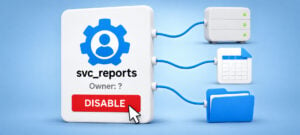
Nobody Owns This Service Account, So Who Dares Turn It Off?
Nobody owns that service account. Who dares disable it? Trace dependencies, confirm ownership and retire unused accounts without disrupting critical workloads.

Unique Migration Service Eliminates Common SharePoint Migration Problems
LinkTek announces the launch of its new SharePoint Migration Consulting Service.

Release of New Version of Link-Fixing Software Offers Support for Migrations To or From Box.com
Data migrations can be tricky. Migrating to or from Box is no different. Get some help.

Latest Release of LinkFixer Advanced™ Streamlines Cloud Data Migrations
Migrating to the cloud? Link-fixing software helps prevent post-migration data-loss. Chat with us about options, including a free webinar.


 ChatGPT,
 Gemini,
 Claude and
 Copilot